Take your medicine, put out the trash, pick up the kids. These daily and weekly habits aren’t quite worth adding to your calendar — but they’re easy to forget.
Register a habit and you’ll get a notification at the time you set. See it, and you’re done. No tapping, no dismissing required.
■ Notified. Nothing more to do.
Alarms need to be stopped. Reminders need to be completed. That friction adds up. This app’s notifications are just banners. No additional action needed.
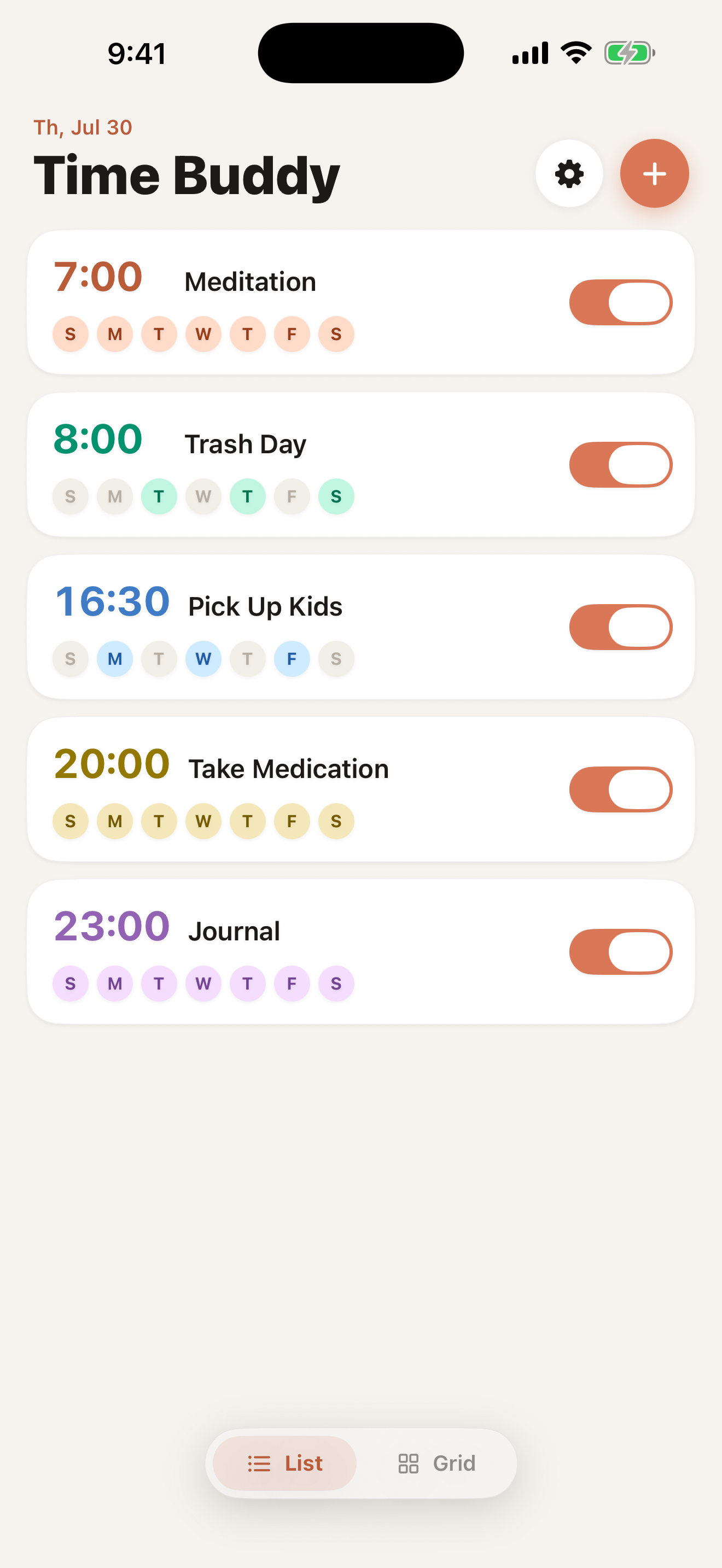
■ Repeat daily or on specific days
Set patterns like “Take medicine every day at 8:00” or “School pickup Mon, Wed, Fri at 7:30.” Combine any days you like. Going on a trip? Toggle it off — no need to delete and recreate.
■ See your week at a glance
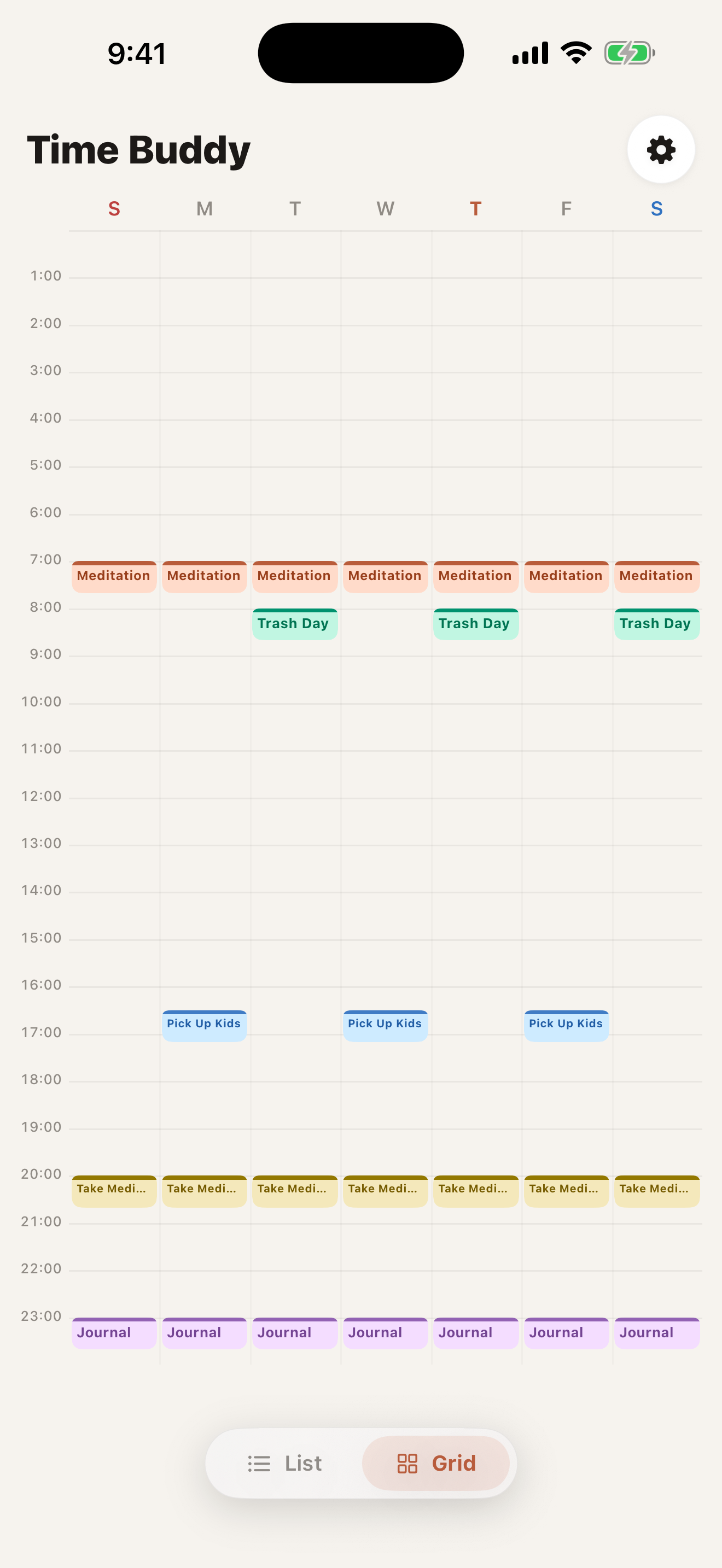
A weekly grid shows all your notifications as color blocks by day and time. Your whole weekly rhythm, in one view.
■ Use it for
Health (medication, supplements, eye drops), family (pickup, bath time, pet feeding), household chores (trash, cleaning, watering plants), habits (language learning, reading, meditation, journaling), and more.
■ Key features
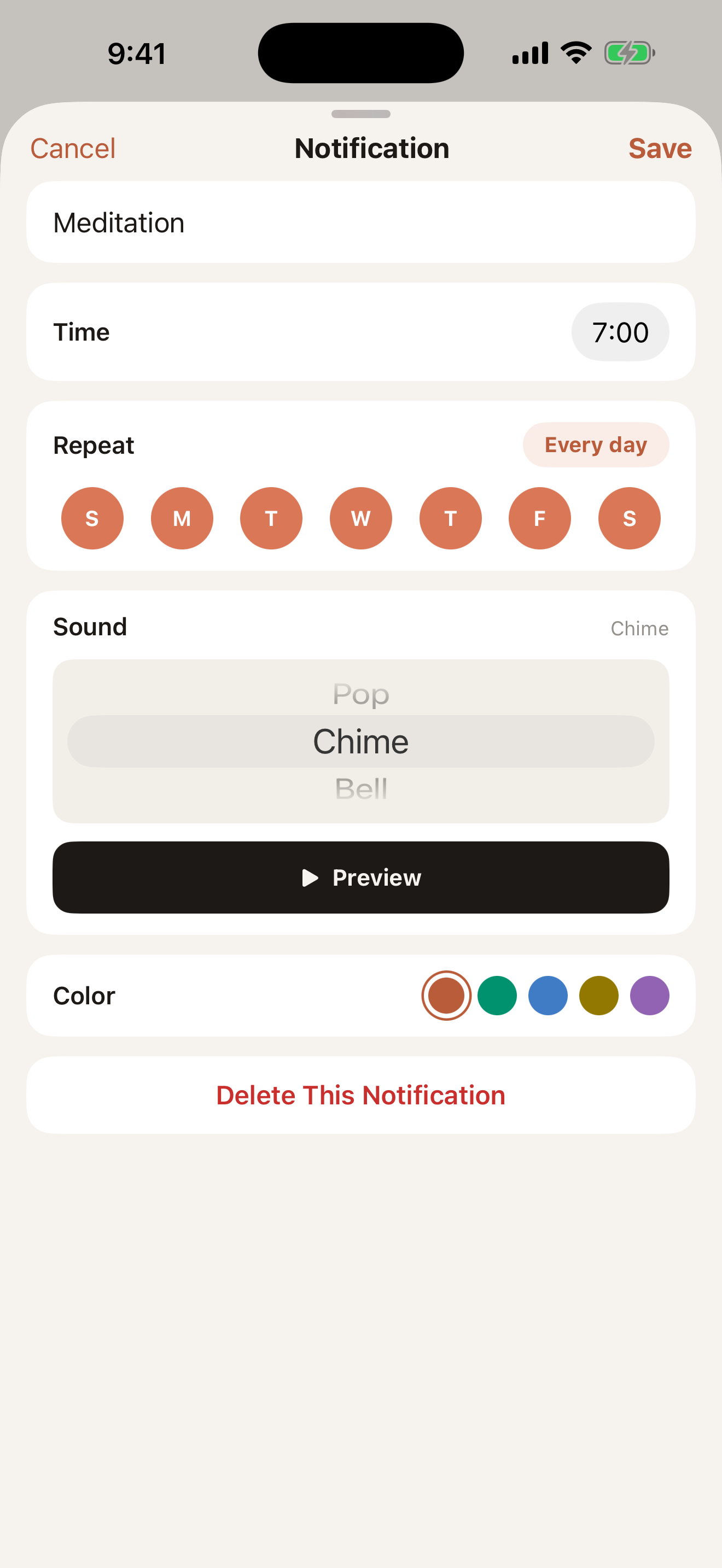
- Create notifications (title, time, days, sound, color)
- Repeat daily or on specific days of the week
- List view (time-focused cards)
- Weekly grid view (color blocks by day and time)
- ON/OFF toggle to pause without deleting
- Notifications delivered even in the background
Your daily rhythm, handled with a notification.
Support
For questions or feedback, use the contact form or see the About page.